




Managing a field team is challenging. Your crew is spread across multiple locations, communication can get spotty, and important decisions need to be made quickly, often without reliable access to your main office. When coordination breaks down, projects stall, mistakes multiply, and everyone ends up frustrated. The good news? Mobile command centers are changing how field teams operate, bringing organization and control directly to where the work happens.
What Exactly Is a Mobile Command Center?
A mobile command center is essentially a fully equipped operations hub on wheels. It’s like bringing your entire office, complete with communication systems, computers, surveillance equipment, and workspace, directly to the field. These units can range from converted vans and trailers to large truck-based setups with expandable rooms.
Inside, you’ll typically find satellite communication systems, wireless internet, multiple workstations, video conferencing capabilities, and power generation systems. Some even include climate control, restroom facilities, and kitchen areas for extended deployments. The goal is simple: give field teams everything they need to coordinate, communicate, and make decisions without relying on distant headquarters.
Why Field Teams Struggle Without Centralized Coordination
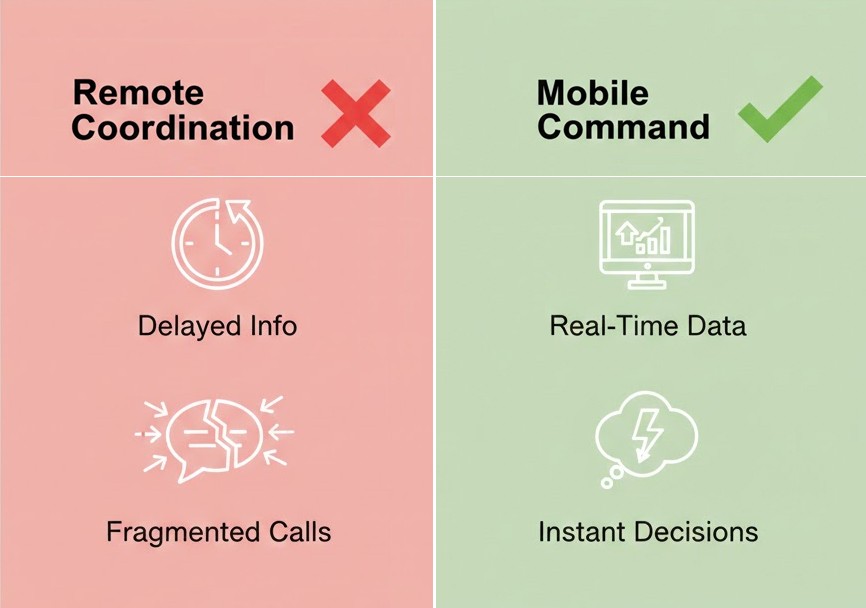
Before diving into solutions, it helps to understand what goes wrong when field teams lack proper coordination tools. Workers waste time tracking down information. Supervisors can’t see real-time progress. Communication happens through fragmented phone calls and text messages that get lost or misunderstood.
According to research from the Service Council, 54% of field technicians cite studying service history before visits as their biggest obstacle. When information isn’t readily accessible, workers show up unprepared, leading to return visits and wasted resources. Many field teams now rely on digital field service management software to centralize service history, site documentation, and real-time updates, without needing a fully equipped physical command unit.
Common coordination problems field teams face:
- Fragmented communication across multiple channels and devices
- Delayed access to critical documents, plans, and service histories
- Supervisors making decisions without seeing conditions firsthand
- No central location for real-time progress updates
- Equipment and resource tracking spread across disconnected systems
These problems compound quickly. One miscommunication leads to the wrong parts being ordered. A delayed update means crews sit idle waiting for instructions. Before you know it, a simple project turns into a logistical nightmare.
How Mobile Command Centers Solve Organization Challenges
It’s important to assess both costs and benefits when considering new equipment. When you’re evaluating options for your team, understanding the cost of mobile command upfront helps you budget appropriately and choose the right configuration for your specific needs. But beyond the initial investment, these units deliver value through several key organizational benefits.
Centralized Communication Hub
The biggest advantage is bringing everyone onto the same page, literally. Instead of supervisors juggling phone calls from a distant office, they’re on-site, coordinating directly with field workers. Radios, phones, video feeds, and data systems all funnel through one location.
This centralization eliminates the “telephone game” effect, where messages get distorted when passed through multiple people. When a problem arises, the person making decisions can see the situation firsthand and communicate solutions immediately to everyone who needs to know.
Real-Time Data Access
Mobile command centers connect field teams to critical information instantly, particularly when integrated with digital workflow systems that keep documentation current. Need to pull up equipment specifications? Check a customer’s service history? Review site plans or safety protocols? It’s all accessible from the command center’s workstations.
| Feature | Without Command Center | With Command Center |
| Information access | Wait for HQ callbacks | Instant on-site lookup |
| Decision speed | Hours of delay | Minutes or less |
| Data uploads | End of the day batches | Real-time documentation |
| Team coordination | Fragmented calls/texts | Centralized communication |
| Problem resolution | Multiple site visits | Often first-visit fixes |
On-Site Decision Making
When supervisors work from remote offices, decisions get delayed. Questions require phone calls. Approvals wait in email queues. Problems that could be solved in minutes stretch into hours.
Mobile command centers put decision-makers where the action happens. They can assess situations personally, consult with workers face-to-face, and authorize solutions immediately. This proximity speeds up every aspect of field operations.
Making the Most of Your Mobile Command Setup
Simply having a mobile command center isn’t enough – you need to use it effectively. Here are practical tips for maximizing organizational benefits:
- Establish clear protocols for how information flows through the command center, incorporate regular team briefings into your schedule, and define who makes which decisions
- Train your team thoroughly before deployment, so everyone knows the communication systems and data tools
- Position strategically – close enough for easy access but far enough to avoid congestion or safety hazards
- Run practice scenarios so workers become familiar with the equipment before critical situations arise.
- Document processes so everyone understands their role and responsibilities
Industries That Benefit Most
Mobile command capabilities are becoming increasingly popular. While almost any field operation can benefit from mobile command capabilities, field service management trends show certain industries have embraced them most enthusiastically.
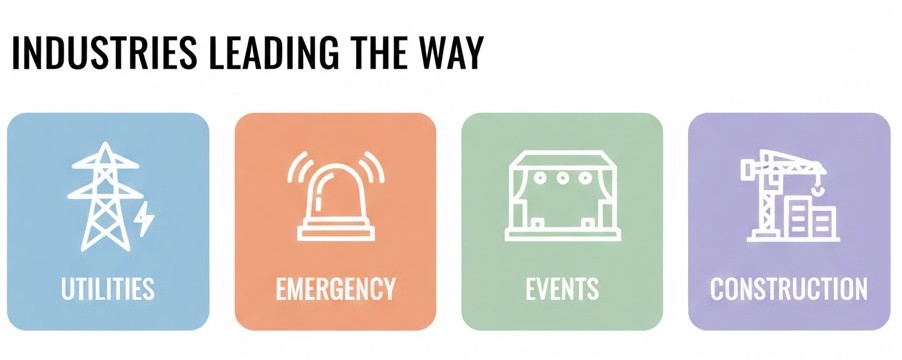
Utilities and Energy – Power companies regularly deploy mobile command centers during outages and storm recovery. These units help coordinate repair crews, track which areas have been restored, and communicate with both workers and customers.
Emergency Response – First responders were early adopters of mobile command technology, with many agencies aligning their mobile operations to NIMS frameworks for interagency coordination. Police departments, fire services, and emergency management agencies use these units to coordinate responses to disasters and large-scale incidents.
Event Management – Concerts, festivals, sporting events, and public gatherings require intense coordination between security, medical teams, vendors, and organizers. Mobile command centers serve as the nerve center for these operations.
Construction and Engineering – Efficiency is key in construction today. With workforce shortages driving project delays industrywide, large construction sites spanning acres with multiple crews need every efficiency advantage available. A mobile command center provides project managers with a central coordination point for monitoring progress and addressing problems.
Frequently Asked Questions
What size mobile command center do most field teams need?
Size depends on your team and operations. Smaller crews might work fine with a van-based unit seating four to six people. Larger operations often require truck-based units with expandable sections accommodating 20 or more operators.
Can mobile command centers operate in remote areas without cell service?
Yes. Most units include satellite communication systems that work independently of cellular networks. This makes them especially valuable for rural utility work and disaster response, where local infrastructure may have failed.
How long does it take to set up a mobile command center?
Most units can be operational within one to three hours. Some smaller configurations are ready even faster. The key is having trained personnel who know the setup procedures.
Do mobile command centers require special licenses to operate?
Driving requirements depend on vehicle size and location. Larger truck-based units may require commercial driver’s licenses. Communication equipment sometimes requires FCC licensing.
What’s the typical lifespan of a mobile command center?
With proper maintenance, these units last 15 to 20 years. The vehicle structure remains functional for decades, though communication equipment typically needs upgrading every five to seven years.
Key Takeaways
- Mobile command centers bring office capabilities directly to field locations, eliminating communication delays and information gaps
- Centralized coordination reduces errors and speeds decision-making by putting supervisors on-site
- Industries like utilities, construction, events, and emergency response see the biggest organizational benefits
- Real-time data access helps field workers arrive prepared and document progress immediately
- Effective use requires clear protocols, thorough training, and strategic positioning