



Although file movement is not always seen as a problem, it can have a direct impact on how data is moving throughout your systems. Manual file transfers are often handled through routine, user-driven actions that include downloading, renaming, attaching, and uploading across different systems. This approach is common in environments where systems are not well connected, or where there is a lack of structure for data sharing. While the process may “work,” it introduces inefficiencies that can slow down your organization’s procedures and reduce overall control.
Ultimately, the issue is cumulative as each manual interaction introduces delay. A file waits until someone identifies it and completes the transfer. Across workflows, those delays compound. In batch processing, this typically leads to extended processing windows. In time-sensitive environments, delays like this disrupt downstream systems that rely on steady data flow.
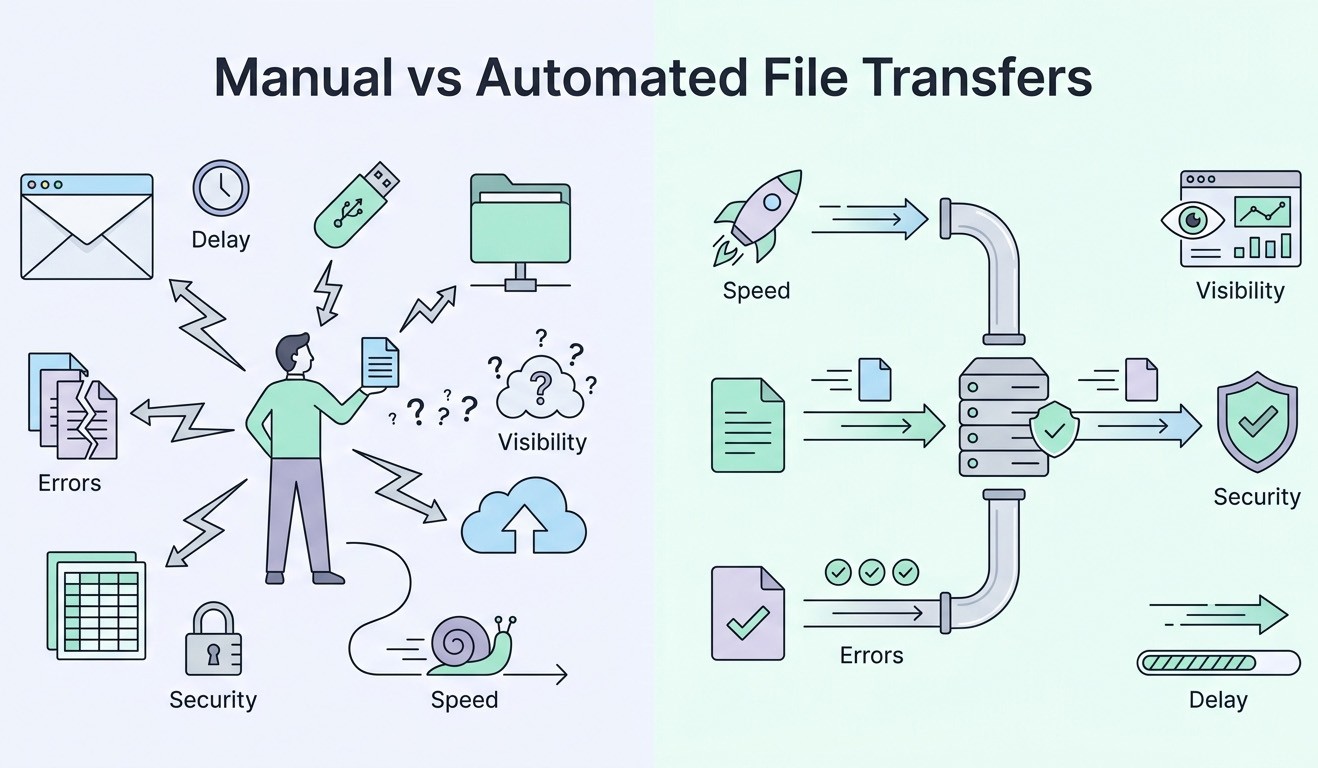
Key Difficulties With Manual Data Transfers
Difficult file integrity: In addition to creating a cumulative effect, file integrity also becomes difficult to maintain under these conditions. Without enforced controls, versioning relies on naming conventions, which do not validate content. Multiple versions of the same file can exist across systems, each appearing legitimate. This creates discrepancies in reporting and analytics which your team is then forced to reconcile data manually, increasing their effort and introducing unnecessary risk.
Increased errors: Another drawback is that errors may increase with each manual touchpoint. Generally, these issues include incorrect file selection, incomplete uploads, misrouted transfers, and missing attachments. Of course, these incidents are not isolated. Rather, they occur frequently and often go undetected until downstream systems fail or produce incorrect outputs.
Limited visibility: Transfer visibility is limited in manual environments as well, with file movement being tracked through fragmented logs, email threads, or sometimes not at all. When issues arise, teams must then reconstruct events manually, slowing troubleshooting and severely limiting your team’s ability to analyze the root cause.
Challenging collaboration: This too is also limited when file transfers are handled manually. As files move from one person to the next, work often pauses between each handoff. This can make it more of a challenge for multiple people to work on the same file at the same time, potentially leading to duplicate files as well as extra time spent fixing any differences.
Security risk: Another issue with manual file transfers is the inherent increased security risk. Multiple copies of sensitive data can exist in different places without control when files are saved on local devices or passed around informally. Additionally, if encryption or permissions are not always applied the same way once a file is shared, it can be challenging to take access back.
Non-compliance: Last, but certainly not least, compliance requirements can further expose these limitations. Regulatory frameworks require detailed records of data movement, access, retention and so on, and manual transfers do not produce standardized logs. During audits, this can shed light on gaps that are difficult to address without having to reconstruct historical activity.
Benefits of Automated and Centralized File Transfer Systems
Shifting away from manual file handling can lead to clear operational improvements for your organization. This is particularly true in areas where accuracy and visibility are critical.
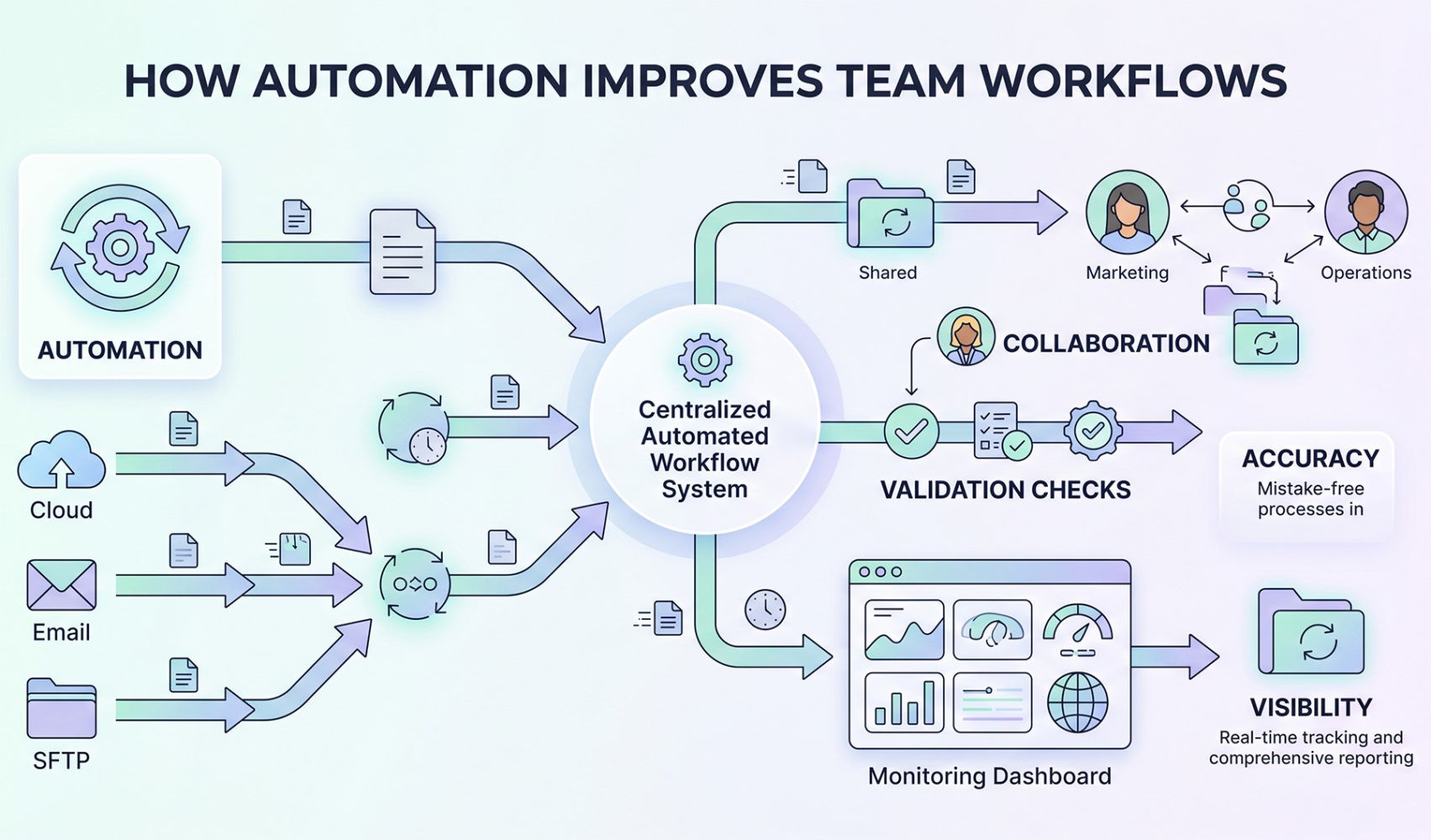
For example, automated file transfer systems can remove the dependency on manual intervention by executing transfers based on predefined triggers, schedules, or system events. With this, files can be moved immediately after creation or update, thus reducing latency and eliminating delays caused by user availability. This is critical for data pipelines, system integrations, and other workflows that depend on consistent timing.
Centralized platforms can also provide a single control layer for managing file movement because transfers are handled within one environment. When logs are structured and accessible, it creates real-time visibility into transfer status, which in turn streamlines troubleshooting and supports audit requirements.
Version control improves as files are managed within a defined system as well. Updates are tracked, and previous versions can be retained or archived according to policy. This reduces the risk of conflicting versions while also simplifying rollback when errors occur as the process is no longer dependent on user input.
Then, there are validation rules which can formalize error handling. Company files can be checked for completeness and structure automatically before transfer, and if validation fails, the system can halt the process or trigger alerts. Having this protection in place can prevent incorrect data from entering downstream systems, therefore reducing the need for rework.
Collaboration becomes more efficient in a centralized environment as well, because multiple users can work with the same dataset while changes are tracked. This supports concurrent workflows and reduces delays associated with sequential handoffs.
Security controls also can be applied consistently across all transfers with encryption enforced during transfer and storage. Additionally, by adopting automated, centralized solutions, access permissions can be better defined by role and applied uniformly.
Lastly, you can also make compliance more manageable with centralized logging and policy enforcement. Automated systems are able to track file movement and apply retention policies without your team’s oversight, making future audits simpler and reducing overall risk.
How to Get Started with Automated File Transfers
From an implementation perspective, the process should begin with an assessment of existing workflows. As a leader, you should make it a priority to identify where manual file movement introduces delays or risks with a focus on high volume or strict timing requirements. Then, consider mapping out current transfer steps, including sources, destinations, and dependencies. Doing so works to provide a baseline for implementing automation.
At this stage, many organizations choose to introduce a third-party cloud file transfer service to make implementation more straightforward. These platforms are designed to support automated workflows and integrate with existing systems through APIs and connectors. Plus, updating your process this way allows your team to improve efficiency without rebuilding current infrastructure.
Next, you’ll want to define transfer rules and validation requirements. This means you should determine when files should move, how they should be handled, and what checks should be applied. Then, you’ll need to connect the platform to data sources, storage systems, and any downstream applications. This supports end-to-end automation and creates a continuous flow of data without user intervention. Be sure to set up monitoring and alerting to track performance with clearly defined thresholds for failures or anomalies.
Finally, you’ll want to establish governance policies for access control, data retention, and audit logging. Be sure to align these policies with all organizational and regulatory requirements. When applied, they’ll standardize file handling and reduce variability across processes going forward.
⸻ Author Bio ⸻
Heath Kath is a Senior Solutions Consultant at Fortra, a company that provides cybersecurity and managed file transfer solutions. He works with the GoAnywhere Managed File Transfer product line, supporting customers through product demonstrations, proof-of-concept development, and implementation. Kath also contributes to professional services by delivering training and ongoing support to help customers maximize the value of their solutions.