



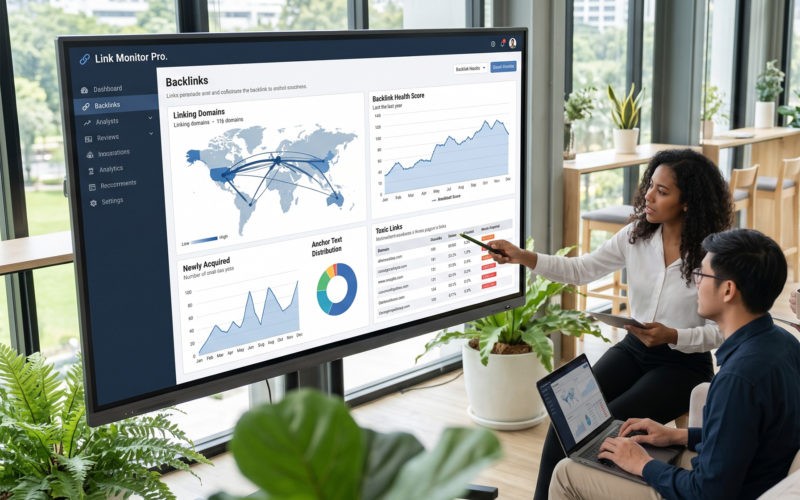
Most backlink “monitoring” fails on one measurable variable: how often the tool’s index refreshes and how fast it detects a change. That gap matters because link loss is constant and quantifiable — a Pew Research Center analysis found 23% of news pages and 21% of government pages carry at least one broken link, and 54% of Wikipedia pages hold a dead reference link. If your index reindexes slowly, a lost link sits unreported for weeks while the ranking effect has already started. This comparison of the best backlink monitoring tools evaluates each option on five criteria a measurement function can audit: index size, refresh cadence, new/lost detection, alerting, and API access. The audience here is enterprise and mid-market in-house SEO teams and agencies that treat link data as a monitored asset, not a one-time report.
| Tool | Index size | Refresh cadence | New & lost tracking | Alerts | API | Price |
| SE Ranking | 2.7T backlinks / 420M domains | Daily crawl; 58% ≤90 days | Yes (Backlink Monitor) | Weekly status + toxicity | Included every plan | From $129/mo |
| Ahrefs | Not publicly stated | Continuous (scheduled alerts) | Yes (Alerts) | New & lost email | Paid add-on/credits | From $129/mo |
| SEO SpyGlass | 6.5T claimed | On-demand / scheduled | Yes (historical) | Scheduled checks | Via SEO PowerSuite | From $129/yr |
| Sitechecker | Imported links only | Weekly re-check | Yes (imported links) | Non-index / deleted alerts | Yes | From $99/mo |
| Semrush | Large (undisclosed) | Periodic re-audit | Yes (Backlink Audit) | New/lost + toxicity | Via API units | From $139/mo |
| Majestic | 4.5T historic / ~202B fresh | Fresh Index ~daily | Yes (New/Lost) | Email alerts (Pro) | Yes (API tier) | From $49.99/mo |
How to read this comparison
The five criteria are ordered by how directly they affect detection latency. Index size sets the ceiling on what a tool can see; refresh cadence sets how current that view is; new/lost detection is the mechanism that flags a change; alerting is how fast that flag reaches you; and API access determines whether the signal feeds your own reporting or stays trapped in a dashboard. Refresh cadence and detection latency dominate the other three. The working hypothesis: a monitor that reindexes monthly reports a loss roughly 30 days after it happens, which is 30 days of ranking exposure you cannot act on. A daily-crawling index compresses that window to hours or days.
The reason to track backlinks at all is measurable, not sentimental. Seer Interactive’s 2025 analysis found backlinks show weak-to-neutral correlation with LLM/AI brand mentions, while ranking on Google page 1 correlates about 0.65 with being cited in AI answers. Links still power the page-1 rankings that AI answers draw from, so protecting them is defensible ROI.
The fastest monitor is the one whose index refreshes most often. Index size caps what a tool can find, but refresh cadence and alert speed decide how quickly you learn a link was lost — the difference between acting in days versus a month.
The 6 backlink monitoring tools, measured
Six tools, ranked on what a monitoring workflow actually needs: refresh cadence, loss detection, a toxicity signal, and how well each vendor’s numbers hold up under scrutiny.
1. SE Ranking
SE Ranking pairs SEO and AI-search visibility with a dedicated Backlink Monitor that tracks link status, indexation, and loss on a weekly cadence.
Best for: In-house teams and agencies that want a measurable refresh cadence, toxicity scoring, and API access in one platform.
Standout feature: The Backlink Monitor pushes your links into weekly status checks, flagging lost and non-indexed links, while the Backlink Checker adds a Toxicity Score from 0 to 100 built on five markers, plus Domain Trust and Page Trust. It runs on Blex, SE Ranking’s own engine since February 2026, indexing 2.7 trillion backlinks.
Pros:
- Push backlinks to weekly checks — you can monitor link status in SE Ranking with indexation and loss tracking.
- Refresh at scale: Blex crawls 6 billion pages daily and refreshes 58% of backlinks within 90 days.
- Score toxicity 0–100 across five markers alongside Domain Trust and Page Trust.
- Access the Backlinks API and MCP on every plan, with no separate developer tier.
Cons:
- The raw backlink index (2.7 trillion) is smaller than Majestic’s historic index, so deep historical link discovery may lag.
- A full backlink analysis — rechecking all parameters at once — is billed per run on top of the plan.
Pricing: Core $129/mo ($103.20/mo billed annually); Growth $279/mo, with the Backlinks API and MCP on every plan.
The data says: On the numbers, refresh cadence is the differentiator: 58% of backlinks refreshed within 90 days and 6 billion pages crawled daily set a freshness baseline most monitoring workflows lack. If your hypothesis is that link decay is costing rankings, this backlink monitor tool gives you the data to test it.
2. Ahrefs
Ahrefs layers a dedicated Alerts feature onto Site Explorer, emailing new and lost backlinks so monitoring rides on Ahrefs’ stated ~35 trillion-link index.
Best for: Enterprise and agency teams already running Site Explorer that want scheduled new/lost backlink alerts at scale.
Standout feature: Alerts email new and lost backlinks on a schedule, and report depth scales from 2,500 rows on the entry tier to 150,000 on the top tier. By Ahrefs’ own figures, the index holds roughly 35 trillion external links, refreshed about every 15 minutes — the fastest stated refresh interval in this comparison.
Pros:
- Track backlinks through New & Lost alerts delivered by email.
- Scale reporting from 2,500 to 150,000 rows across tiers.
- Refresh near-continuously — about every 15 minutes, by Ahrefs’ own figures.
Cons:
- Monitoring depth is gated by report rows and credits, not a monitored-link count, so heavy monitoring consumes reporting capacity.
- Alerts are scheduled rather than real-time, so loss detection lags the event.
- Ahrefs does not publish a hard index-size number on its pricing page; the 35 trillion figure is a company claim.
Pricing: Lite $129/mo, Standard $249/mo, Advanced $449/mo on annual commitment.
My read: The 35 trillion claim and 15-minute refresh are attractive, but treat both as vendor-stated until you verify them against your own link set. For teams whose monitoring capacity is measured in report rows rather than tracked links, model your row consumption before committing to a tier.
3. SEO SpyGlass
SEO SpyGlass is the backlink module of the SEO PowerSuite desktop toolset, built around historical link data and scheduled re-checks with alerts.
Best for: In-house analysts and agencies that want detailed acquisition/loss history and a disavow workflow on a desktop license.
Standout feature: SpyGlass records when each link was acquired or lost and flags sudden drops, while a Penalty Risk metric scores toxicity and generates a disavow file. The SEO PowerSuite backlink index claims 6.5 trillion links, and scheduled re-checks can run automatically with alerts when your link profile changes.
Pros:
- Record acquisition and loss dates per link, with sudden-drop flags.
- Score toxicity via Penalty Risk and export a ready disavow file.
- Schedule automated re-checks with change alerts.
- Draw on a claimed 6.5 trillion link index.
Cons:
- Runs as a desktop application (Windows/Mac/Linux), so monitoring only executes while the app runs or via a scheduled local task — not a cloud dashboard.
- The free tier caps at 1,100 backlinks per site.
- Automated report emailing is gated to the Enterprise license.
Pricing: Free $0, Professional $129/yr (~$10.75/mo), Enterprise $259/yr (~$21.58/mo).
My read: The historical granularity is genuine value for post-mortems on link loss, but the desktop dependency is the binding constraint: continuous monitoring requires a machine that stays on. For teams needing always-on cloud alerting across a portfolio, price the Enterprise license against a hosted alternative.
4. Sitechecker
Sitechecker’s Backlink Tracker watches a list of links you supply rather than discovering a profile, re-checking each one on a weekly schedule.
Best for: Teams running outreach or digital-PR campaigns who need to confirm that placed links stay indexed and live.
Standout feature: You import links from Google Search Console, Ahrefs, or a manual list, and Sitechecker re-checks each one weekly across three signals: Google index status, live/availability status, and dofollow status. When a page is deleted or a link drops out of the index, it flags the loss for recovery.
Pros:
- Import from GSC, Ahrefs, or CSV, so you monitor backlinks from whatever source your team already trusts.
- Check three states per link weekly (index, live, dofollow) instead of a single up/down ping.
- Surface deleted pages and de-indexed links for lost-link recovery.
- Read anchor distribution through the built-in anchor cloud.
Cons:
- Tracks only the links you add, so it will not discover a full profile or catch placements you don’t already know about.
- Runs on a weekly cadence, so a link lost on day two can surface up to seven days later.
- Publishes no per-tier backlink-tracking quota, so you can’t size list capacity before buying.
Pricing: Basic $99/mo, Standard $249/mo, Premium $449/mo.
My read: If your links come from campaigns you already log, Sitechecker verifies them without paying for a discovery index you won’t use. The weekly cadence and undisclosed tracking quotas are the trade-offs; treat it as a link-verification layer over your outreach records, not a standalone monitor.
5. Semrush
Semrush bundles backlink monitoring into a full SEO platform, with Backlink Audit scoring toxicity and Backlink Analytics tracking new and lost referring domains.
Best for: In-house teams and agencies that want link monitoring inside the same tool they use for keywords, audits, and reporting.
Standout feature: Backlink Audit grades every referring domain on a Toxicity Score and surfaces disavow candidates, while Backlink Analytics logs referring-domain gains and losses between audits. Audits attach to Projects, so on entry tiers you cover roughly five monitored sites before you hit the project ceiling.
Pros:
- Track new and lost backlinks and referring domains alongside toxicity in one view.
- Score referring domains for toxicity to prioritize disavow candidates.
- Fold link data into the same reports as rank tracking and site audits.
- Compare your link velocity against competitor profiles in Backlink Analytics.
Cons:
- Ties Backlink Audit to Projects, capping entry tiers at about five monitored sites.
- Re-audits toxicity periodically rather than continuously, so scores lag real-time link changes.
- Bundles AI-search features you may not need if link monitoring is the only job.
Pricing: SEO $139/mo, Starter $199/mo, Pro+ $299/mo, Advanced $549/mo.
My read: For teams already inside Semrush, adding link monitoring costs no new tool and keeps toxicity, new/lost tracking, and reporting together. The five-site project cap on entry tiers and the periodic re-audit cadence matter if you monitor many domains or need change alerts faster than the audit refreshes.
6. Majestic
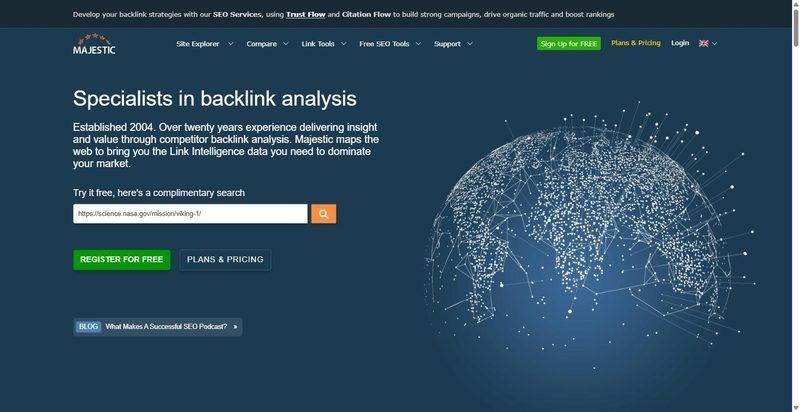
Majestic is a link-data specialist built on two crawl indexes, one refreshed daily for change detection and one for long-range link history.
Best for: Teams that want the fastest new/lost link detection and the deepest historical link record, independent of any single crawler’s opinion.
Standout feature: The Fresh Index holds roughly 202 billion crawled URLs and refreshes about daily, so new and lost links surface within a day rather than a week. Behind it, the Historic Index spans roughly 4.5 trillion URLs, letting you trace a domain’s link history back years for context.
Pros:
- Detect new and lost links within roughly a day via the daily-refreshed Fresh Index.
- Score link quality with Trust Flow and Citation Flow instead of a single metric.
- Reach back across ~4.5 trillion crawled URLs for historical link context.
- Receive Email Alerts on the Pro tier when the profile changes.
Cons:
- Meters usage in Analysis Units, capping how many link pulls you run per period.
- Gates Email Alerts behind the Pro tier, so the Lite plan monitors manually.
- Ships no native rank tracking, so you can’t correlate link loss with ranking drops in-tool.
Pricing: Lite $49.99/mo, Pro $99.99/mo, API $399.99/mo.
My read: Majestic wins on data freshness: a daily Fresh Index catches losses days before weekly trackers do, and Trust Flow adds a quality read. Plan for Analysis Unit limits and the Pro tier if you want alerts, and pair it with a rank tracker, since that correlation lives outside the tool.
Which tool fits your monitoring setup
Match the tool to what you actually measure, not to a leaderboard. The best backlink monitoring tools sort into three measurable buckets.
For whole-profile discovery plus ongoing monitoring, prioritize the largest index and the fastest refresh: SE Ranking, Ahrefs, and Majestic. SE Ranking pairs that fresh index with toxicity scoring and API access in one platform, so discovery, quality checks, and automated pipelines all read from the same data.
For targeted tracking of a known link list — you import the specific links you care about and watch them — Sitechecker and SEO SpyGlass fit.
If monitoring rides along with broader audits, Semrush covers it as an all-in-one platform.
The gap here is measurable: Reporter Outreach’s State of Link Building 2026 survey (n=500) found that 74% of SEO pros believe backlinks affect AI-search visibility, yet only 24% actually track it and just 19% have changed how they build links.
My working rule: test each on your own profile before you standardize.
FAQ
How do you monitor backlinks?
To monitor backlinks, import or discover your link profile in one of the tools to monitor backlinks above — even a free source like Google Search Console’s Links report — then let it re-crawl on a set cadence and alert you to new, lost, or toxic links. Reviewing those alerts weekly is how to monitor backlinks without checking manually, and it keeps your profile data current.
What backlink index size do you actually need for monitoring?
For monitoring your own profile, refresh cadence matters more than raw index size. A multi-trillion-link index helps when you are discovering competitor links, but detection latency is what protects rankings: catching a lost link in 3 days versus 30 changes the outcome, not index totals.
How do you monitor backlinks at scale with an API?
Use a backlink API to pull new and lost links plus authority metrics into your own dashboard or pipeline on a schedule, rather than checking a UI. SE Ranking includes Backlinks API and MCP access in every plan, so teams can automate monitoring across many domains at once.
How often should backlink data refresh?
Daily-to-weekly re-checks are the practical bar for monitoring. A strong index refreshes a large share of its data within 90 days, which supports discovery, but monthly re-checks on your own profile are too slow — you can lose a link and see rankings move before the tool reports it.
About the author:
Mashum Mollah runs Blogmanagement.io, a blogger outreach agency. Through client work spanning keyword research, backlink analysis, and reporting automation, he has hands-on experience evaluating SEO data platforms and API-based workflows. He also writes about SEO tools and digital marketing at Blogstellar.