


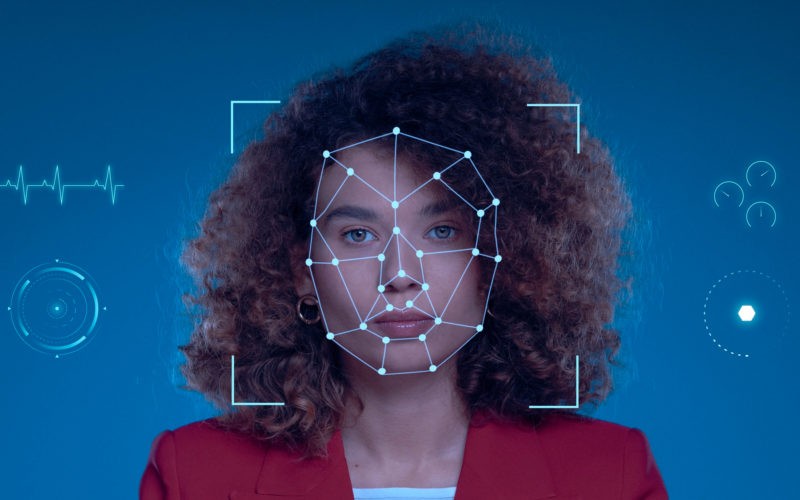
In 2023, Deloitte reported that 78% of organizations viewed deepfake technology as a significant threat to their operations, and this concern has only intensified as we head toward 2026. Deepfakes — those disturbingly convincing fake images, videos, or audio clips powered by AI — are everywhere now, blurring the line between real and fake.
These synthetic media files can fuel misinformation, drive fraud, or ruin reputations overnight. With deepfakes getting more realistic and accessible, spotting them quickly is absolutely critical.
A deepfake detection API uses AI models to analyze media files and determine if they’re manipulated. These APIs scan images, videos, or audio for digital tampering or synthetic fingerprints. You can plug these tools into your apps, websites, or security systems with just a few lines of code.
Detection services vary in features and accuracy. Some focus on video, others on audio or images. Knowing your options helps you pick the best API to protect your platform from synthetic content.
1. Velma Deepfake Detect (Modulate)
Velma Deepfake Detect, from Modulate, launched in March 2026. It specializes in synthetic voice detection for both real-time calls and pre-recorded audio.
This API leads the Hugging Face Deepfake Speech leaderboard for accuracy. What’s wild is the cost — Velma runs at about 120 times lower expense than other top models. Some sources even say it’s up to 578 times cheaper than the next-best option.
You can deploy Velma in contact centers, fraud prevention, voice agents, or identity verification. The API sends alerts and scores to your existing systems, so you can make fast, informed decisions during calls.
The deepfake detection model supports both batch processing and streaming. Now, you can check entire calls in real time, not just snippets. Before Velma, that was way too expensive for most organizations.
Real-time monitoring lets you catch voice clones and fake audio as they happen. The system can trigger actions like escalating calls, rerouting to humans, or launching secondary verification if it detects synthetic voices.
2. Sensity AI Deepfake Detection Hub
Sensity AI delivers a robust suite for detecting deepfakes in video, images, and audio. You can access it through the cloud or deploy it on your own servers.
The system analyzes multiple layers—pixel patterns, file structures, and voice traits—to spot manipulation. Just upload your files or paste URLs, and results pop up in seconds.
API access is available for developers who want to integrate deepfake checks into their own apps. This makes it easy to add verification without reinventing the wheel.
The interface is built for everyone, not just security pros. You don’t need special training to get started.
Sensity’s reports break down what the system finds, so you actually understand the results. You can check one file at a time or process batches at scale via the API.
3. Reality Defender API
Reality Defender offers a detection platform aimed at developers and teams who need to spot fake content—fast. The API-first approach lets you plug detection tools right into your applications.
Start by creating a RealAPI account on their platform. You’ll get an API key for authentication, and the company provides both an API and SDK for easy integration.
The free tier includes 50 detections per month, perfect for testing or small projects. It supports both image and audio scans.
The platform detects various types of manipulated media in real time. It’s useful for fraud prevention and authenticity checks. The API works with just a few lines of code, even if you’re new to deepfake detection.
There’s a Python SDK available via pip or poetry, making it easy to add detection to your Python apps.
4. Hive AI Deepfake Detection API
Hive offers a cloud-based API for detecting deepfakes and AI-generated content across images, video, and audio. The model analyzes your media to see if AI has created or altered it.
When you submit content, Hive locates faces in your images or video frames. For each face, you get a bounding box, a classification, and a confidence score. This helps you judge the likelihood of a deepfake.
The API integrates with your workflows in minutes. Upload your files and get clear, unified results. Hive processes video frame by frame for accuracy.
Your results come with probability scores, so you can set your own thresholds. Large companies trust Hive for reliable AI content detection.
Developer docs, quickstart guides, and code examples are all available to help you get up and running.
5. Sightengine Deepfake Detection API
Sightengine’s API analyzes images and videos for deepfake manipulation. It checks the most visible faces in your content to see if they’ve been swapped or altered.
The system looks for facial inconsistencies that point to deepfake tampering. When you send an image or video URL, you get a simple JSON report on what it found.
You can combine Sightengine’s deepfake detection with other models in a single API call. This saves time and streamlines your workflow.
The platform’s machine learning updates as it processes new data, improving accuracy over time. Their moderation tech claims high accuracy across content types.
Developers will find the API straightforward. Just pick the models you need, send your content, and get results. Both images and videos are supported, giving you plenty of flexibility.
6. Rapid AI Image & Deepfake Detector
Rapid offers a synthetic image detection API for platforms dealing with user-generated content. Its focus: catching deepfakes and stopping fake profiles before they spread misinformation.
You can integrate Rapid through a REST API with easy-to-read JSON responses. Each scan gives a confidence score on manipulation likelihood. The low-latency endpoint processes requests fast — crucial for real-time checks.
It’s handy for content moderation, screening profile pics, or flagging suspicious uploads. Rapid’s detection system analyzes images for AI generation or editing.
Since it runs in the cloud, you don’t have to worry about hardware or maintaining your own models. Just send image data and get actionable results.
Rapid targets businesses that need deepfake detection at scale. Whether you run a social network, dating app, or news site, this API adds a vital verification layer.
7. DeepSafe (Open-source ensemble)
DeepSafe is an open-source platform for detecting deepfakes in images, video, and audio. It combines multiple detection models for better accuracy.
Each model runs in its own Docker container, with a central API gateway routing requests. The system merges the results using methods like voting or averaging.
You can use DeepSafe through a Streamlit web interface, making it simple to upload and analyze files, no technical background required. You can even add your own models and compare them to existing ones.
Its modular design lets you pick which models to run, balancing speed and accuracy. The code and docs are available on GitHub.
There are two versions: Version 1 is public with basic features, while a commercial version offers higher accuracy and an API-first design (but it’s private for now).
8. Arya.ai Deepfake Detection API
Arya.ai’s API works across selfies, videos, and audio clips to spot deepfake manipulation. Real-time detection lets you check content as it arrives, not hours later.
The system guards against identity fraud, misinformation, and spoofing. Arya.ai’s goal is to help you keep your content authentic.
You get the detection tools via Apex, their integrated AI API platform. Deployment is straightforward, and security features are built in.
Major clients like Tata AIG use Arya.ai, which handles high API volumes daily. The detection tech scans for markers of synthetic or altered media.
One provider covers multiple formats — image, video, and audio deepfakes. The API fits right into your existing systems, adding a strong verification step before content goes live.
9. Eden AI Deepfake Detection API
Eden AI offers a deepfake detection API for images and videos. You get access to several AI models through a single endpoint, making integration much easier.
You can test the API in a web interface, no coding needed. Upload your content, see detection results, and compare different models to pick the best fit.
The endpoint structure is simple. For image detection, just send a POST request to “image/deepfake_detection/{provider}”. Switching providers doesn’t require a full integration overhaul.
Eden AI partners with providers like SightEngine for detection. The platform focuses on finding manipulated faces in images and videos, letting you verify media authenticity and protect your platform.
10. Google/YouTube Content Authenticity tools (CAI)
YouTube rolled out its AI detection tool in October 2025 for creators in the Partner Program. The system flags AI-generated content that uses your face or voice without permission.
You access it via YouTube Studio’s Content Detection tab. First, verify your identity with a photo ID and a short selfie video. Once approved, you can review flagged videos that might use your likeness.
The tool works much like YouTube’s Content ID. If it finds unauthorized content with your image, you can request a takedown. YouTube has extended access to politicians and journalists to protect public figures from deepfake misuse.
Some experts worry about privacy. When you upload biometric data to create a digital replica for detection, Google may use it to train their own AI models. This has sparked debate among creators and industry pros.
The detection feature uses deep learning to analyze facial and voice patterns. It hunts for AI-generated content across the platform, helping you control how your image appears online.
How Deepfake Detection Technology Works
Deepfake detection APIs rely on machine learning models trained on massive datasets of real and fake media. These systems look for subtle visual and audio cues that reveal manipulation.
Underlying Machine Learning Techniques
Deep learning underpins most modern deepfake detection. AI models process thousands of real and fake images or videos during training, learning to distinguish the authentic from the synthetic.
Transfer learning speeds things up. Pre-trained models adapt to new deepfake types without starting from scratch, saving time and computing resources as new threats emerge.
Forensic analysis adds another layer. The tech digs into metadata, pixel-level details, and file properties — stuff deepfake creators often miss. These technical fingerprints help spot fakes even when visuals seem flawless.
By combining multiple detection methods, current systems can hit accuracy rates above 90%. Most APIs work in real time and integrate easily with Python, Node.js, and other languages.
FAQ: Deepfake Detection APIs
Q1: How accurate are deepfake detection APIs?
A: Some APIs claim up to 99.7% accuracy, especially when combining multiple detection methods. However, accuracy depends on the type of media, the detection model, and how new the deepfake technique is. It’s smart to test different APIs and keep your detection tools updated.
Q2: Can I use deepfake detection APIs for real-time content moderation?
A: Yes. Many APIs, like Velma and Arya.ai, offer real-time scanning. This is crucial for platforms that need to catch deepfakes before they go live, such as social networks or video chat apps.
Q3: Are there privacy risks with using these APIs?
A: Sometimes, yes. For example, Google’s YouTube tool asks for biometric data, raising privacy concerns. It’s important to review each provider’s privacy policy and understand how your data will be used or stored. egulators such as the U.S. Federal Trade Commission provide guidance on data privacy and secure handling of user information.
Q4: Do I need coding skills to use deepfake detection APIs?
A: Not always. Some platforms, like Sensity AI and Eden AI, offer web interfaces for non-developers. However, integrating APIs into apps or workflows usually requires some coding knowledge — Python and REST APIs are the most common.
Q5: How can I choose the best API for my needs?
A: Consider your use case (images, video, audio), required accuracy, integration needs, and budget. Test free tiers where available, read independent reviews, and check for recent benchmarks. For more tips, check out the DealRoom AI due diligence guide.
Commonly Analyzed Deepfake Cues
If that 2023 baseline of 78% seemed high, the outlook for the next five years has only grown more urgent. Recent industry sentiment now suggests that over 90% of executives are bracing for deepfake-led disruptions to their business. It’s a massive figure that proves this isn’t just hype — detection systems are genuinely working overtime to keep pace with the constant evolution of AI-generated fakes.
These systems scan for subtle inconsistencies that most people never notice. Facial expressions get extra scrutiny, since AI-generated faces often move in slightly offbeat ways or don’t quite match up with natural timing.
Lighting and shadows are another giveaway. Deepfakes have a tough time matching the direction and intensity of light across the entire frame.
Your detection API will flag mismatched shadows or highlights that just don’t belong — especially on skin and nearby objects.
Pixel-level variations often reveal manipulation. The algorithms dig into:
- Weird color gradients around the edges of faces
- Blurriness or sharpness that doesn’t match between facial features
- Odd patterns in skin texture
- Inconsistencies from frame to frame in videos
Technology also checks for blinking patterns, lip-sync accuracy, and facial boundaries. These biological details are surprisingly hard for deepfake generators to copy perfectly.
Even with the latest AI, things like unnatural blinking or lips that don’t quite match speech can trip up a deepfake. It’s almost uncanny when you spot it, if you know where to look.
Integration and Deployment Considerations
If you’re adding deepfake detection to your systems, you’ll need to think about security and whether your setup can handle real-world demands. These factors will determine if your detection system actually works at scale or just looks good on paper.
API Security Best Practices
- Always use API keys with limited permissions instead of master keys. If credentials leak, you want to limit the damage.
- Set up rate limiting on your endpoints. This helps prevent abuse and keeps your costs from spiraling out of control.
- Most providers let you choose different access levels for different users or applications. It’s worth taking the time to set this up.
- Use HTTPS for every API call. This encrypts your data in transit and protects sensitive media files from interception.
- Store API credentials in environment variables or a secure vault. Never hardcode them in your application, it’s just not worth the risk.
- Keep an eye on your API usage. Set up alerts for weird spikes in requests or failed login attempts. Rotate your API keys regularly, and if you think a key is compromised, kill it fast.
Scalability and Performance Factors
Your detection system should be able to handle unpredictable workloads without slowing down or crashing. You’ll need to decide between cloud-based and on-premises deployment, based on your privacy needs and what you already have in place.
Cloud APIs usually scale automatically, but you have to send your media to someone else’s servers. On-premises setups give you more control, but you’re on the hook for managing infrastructure and scaling.
Think about response times for your use case. Real-time applications need detection in less than a second, while batch jobs can wait a bit longer.
Test your chosen API under the loads you expect. Don’t just trust the marketing, actually see how it performs.
Check that your API supports all the file types and resolutions you’ll need. Some systems can’t handle high-res video or weird formats, which can seriously slow down your workflow.
If you’re working with large media files, make sure your provider’s limits won’t bottleneck your process. It’s frustrating to find out too late that your files are too big or in the wrong format.
Frequently Asked Questions
How accurate are current deepfake detection services for videos, images, and audio?
Video deepfake detection usually hits between 85% and 95% accuracy in lab conditions. In the real world, things get messier — video quality, compression, and the deepfake’s sophistication all affect results.
Image detection is a bit easier. Most APIs can spot face swaps and AI-modified features with over 90% accuracy, at least for the more common deepfake tricks.
Audio detection is still catching up. Services like Velma Deepfake Detect focus on voice clones and synthetic audio, but accuracy depends on how long the clip is, the audio quality, and how much background noise there is.
If you’re dealing with heavily compressed files or new, cutting-edge deepfakes, expect some false positives and negatives. No tool is perfect, yet.
What file formats, codecs, and maximum sizes are typically supported for media uploads?
Most detection APIs accept standard image formats like JPEG, PNG, and WebP. For video, MP4, AVI, MOV, and WebM are pretty standard, usually with H.264 or H.265 codecs.
File size limits are all over the map, anywhere from 100MB to 500MB, depending on the provider. Hive AI and Sightengine are stricter on their standard plans, but enterprise customers can usually go bigger.
Audio detection supports WAV, MP3, FLAC, and AAC. Some APIs want specific sample rates or bit depths, so check the docs before you upload.
If your files are too big, you might need to compress or transcode them first. Most services recommend at least 256×256 pixels for images and 720p for videos.
What latency and throughput can be expected when processing media at scale?
Image analysis is fast, usually 1 to 3 seconds per request. Video takes longer: expect 0.5 to 2 seconds per second of video.
Batch processing can help if you’ve got a lot of files. Providers like Reality Defender and Sensity AI offer batch endpoints to process files in parallel.
Your throughput depends on your pricing plan and the API’s rate limits. Standard plans often cap you at 10 to 60 requests per minute. Enterprise plans let you push more volume.
Some services, like Velma Deepfake Detect, offer real-time streaming analysis with latency under 500 milliseconds. That’s fast enough for live verification, if you need it.
How can a deepfake detector be integrated into an existing content moderation or verification pipeline?
Most APIs use RESTful endpoints. You send media files via POST requests and get JSON responses back. It’s pretty straightforward to plug this into your existing moderation workflow.
Some providers offer SDKs for JavaScript, Python, and other popular languages. These can make authentication and file uploads easier.
It’s smart to use detection as a filter before or after human review. Let the system flag suspicious content, and send the tricky stuff to a human moderator.
For large files, webhook callbacks are handy. The API notifies your app when analysis is done, so you don’t have to sit around waiting for results.
What privacy, data retention, and compliance policies should be evaluated before sending media for analysis?
Find out if your API provider stores uploaded media, and for how long. Some delete files right after analysis, while others keep them for training or quality control.
If you’re handling data from EU or California residents, GDPR and CCPA compliance is a must. Review the provider’s data processing agreements and certifications.
Most providers encrypt files in transit, but check if they’re encrypted at rest too. If you need regional data residency, make sure your provider offers that option.
Some APIs strip metadata from uploads automatically. Know what gets logged and whether it could be subject to legal requests.
For more on secure integration and best practices, check out DealRoom’s API integration guide and data security resources.
How should confidence scores and detection signals be interpreted and validated in production?
According to a recent Deloitte survey, over 70% of organizations now use AI-driven tools to assess digital content authenticity, but many still struggle with interpreting confidence scores effectively. Confidence scores show the probability that a piece of content is a deepfake, usually on a scale from 0 to 100 or 0.0 to 1.0.
If a score lands above 70-80%, you’re probably looking at manipulated media. That said, you really need to adjust these thresholds for your own use case. What works for a social media platform might not work for a law enforcement agency or a news outlet.
APIs don’t all speak the same language when it comes to scoring. Sightengine, for example, splits its scores into face swap detection and fully synthetic content. Hive AI, on the other hand, just gives you one unified score to work with.
Before you let any detection system loose in production, it’s smart to validate the results against a set of media you already know to be real or fake. Build up a library of confirmed deepfakes and genuine content. Then, measure how often your system throws out false positives or misses actual deepfakes for your specific types of media.
Don’t just rely on confidence scores alone. Mix in other signals — EXIF data analysis, reverse image searches, and whatever contextual info you can dig up. No single score should have the final say in an automated decision. That’s just asking for trouble.
According to McKinsey, organizations that combine multiple detection signals reduce false positives by up to 40% compared to those relying on a single metric. That’s a pretty significant margin, especially if you’re dealing with high-stakes content.
For ongoing calibration, keep monitoring your system’s performance. The threat landscape shifts fast, and what worked last month might fall short tomorrow. Regularly update your test sets and retrain models as new types of deepfakes emerge.
It’s also worth noting that human review still plays a crucial role. Even the best automated tools can’t catch everything, and sometimes, a skeptical human eye makes all the difference.
One last thing — regulations are starting to catch up. The European Union’s AI Act, for instance, will require more transparency and accountability in automated content detection. So, if you’re operating internationally, you’ll need to pay close attention to evolving legal requirements.
Bottom line: confidence scores are useful, but they’re only one piece of the puzzle. Calibrate, validate, and combine signals for best results. And don’t forget the human element. Sometimes, it’s the only thing standing between your organization and a costly mistake.
FAQ
Q1: What exactly is a confidence score in deepfake detection?
A confidence score is a number — usually between 0 and 100 — that estimates how likely a piece of content is to be a deepfake. Higher scores mean greater likelihood of manipulation. You can learn more about how these scores work in practice from PwC’s AI and analytics resources.
Q2: How should I set the right threshold for my organization?
There’s no universal answer. You should test your system with real examples from your own workflow and adjust the threshold to minimize false positives and negatives. For M&A professionals, DealRoom’s AI in M&A due diligence guide offers tips on tailoring detection thresholds.
Q3: Why can’t I just use the confidence score alone to make decisions?
Relying on a single score is risky. Deepfake detection isn’t perfect, and context matters. Combine the score with other signals like metadata, reverse image searches, and human review to make more reliable decisions. McKinsey’s AI insights cover this in more depth.
Q4: How often should I update my detection system?
Ideally, you should review and update your system quarterly. The deepfake landscape changes quickly, and new manipulation techniques can reduce your system’s accuracy if you don’t keep up.
Q5: Are there legal requirements for deepfake detection?
Yes, especially in the EU and some US states. Laws are evolving fast, so stay informed about regulations like the EU AI Act and any local requirements.